
We’re excited to announce another set of features to help you and your business!
Connect Tula to any AI you use
You can now connect your favorite AI assistant, whether that’s Claude, Chat GPT, Grok, Muse or something else.
As an Owner or Admin, open Integrations → AI Assistants, click Turn on, choose the roles, and click Save assistant roles. Then add Tula to your assistant with this address: https://tulasoftware.com/mcp
Simply choose to connect a custom MCP server, and enter https://tulasoftware.com/mcp.
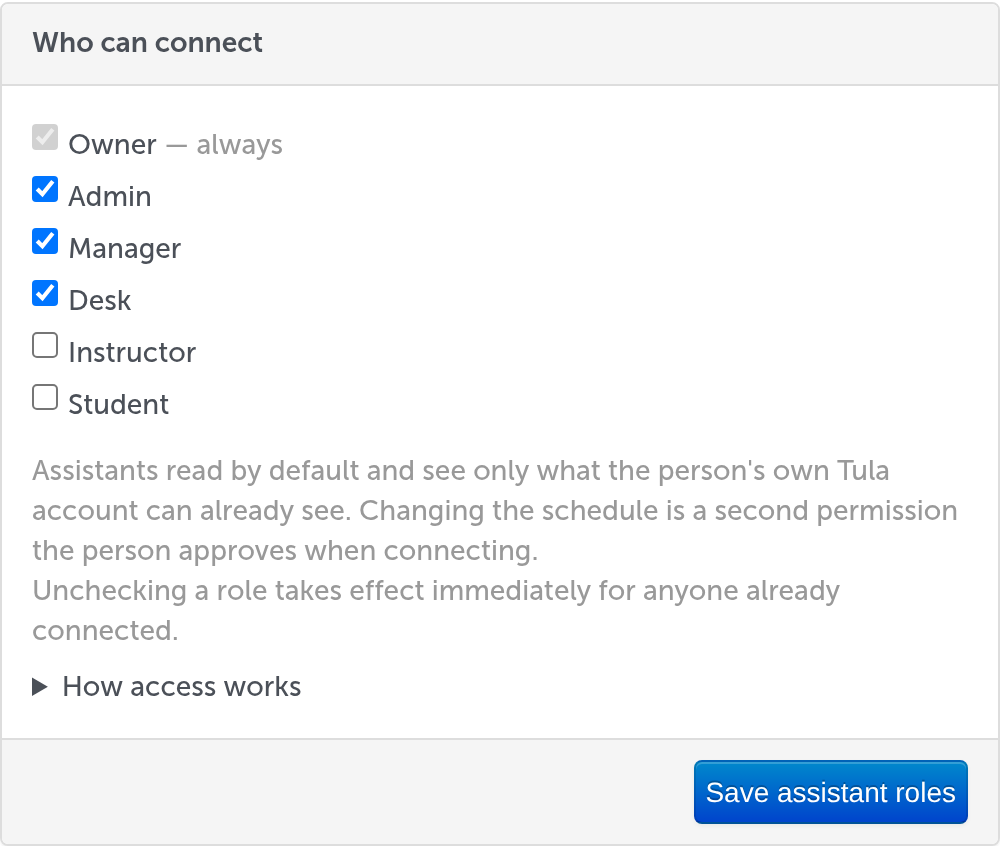
Owners decide which user roles can connect via MCP
Once connected, talk in plain words, and it answers from your studio's real Tula data: your schedule, your members, their passes and your reports.
Look things up. "Look up Lena Brooks." Her pass, classes left, when it expires, her last visit. "How did October compare to September?" Revenue and attendance, straight from your reports.
Change the schedule. "Move Thursday's 6pm to 7pm and have Jonah teach it." Your assistant can add a class, change its time or teacher, cancel it or bring it back, and set up a repeating series, and add images to your classes.
Sign people up. Your assistant can register a member for a class or take them off it. Students who connect their own assistant can sign themselves up.
Get ready to sell. Opening a new studio, or adding private sessions? Your assistant can set up your rooms and equipment, the people who provide services, the services themselves and your passes, link passes to the services they cover, and then tell you what's still missing before you can take a booking.
You stay in charge
Your assistant sees only what your own Tula login can already see, and every request is checked against your Tula role.
Reading is the default. Changing things is a second permission you approve when you connect.
It never charges cards, issues refunds, messages people on its own, or deletes members.
Reports and payments need Owner or Admin access. The owner chooses which roles can connect, and can turn AI Assistants off for the whole studio at any time.
Landing Pages
We’ve also introduced beautiful new landing pages for both individual events, as well as event series. Now for every event and every event series you can add an image, a full description and get a single link you can share in your email newsletters and socials.
Family Members
A top requested feature for some time, you can now add family members to student accounts, allowing the primary account holder to share their pass with family members and register them for upcoming events. To begin using this feature, head on over to your passes and indicate which ones you’d like to be able to be shared amongst family members (by default passes are not shared by family).
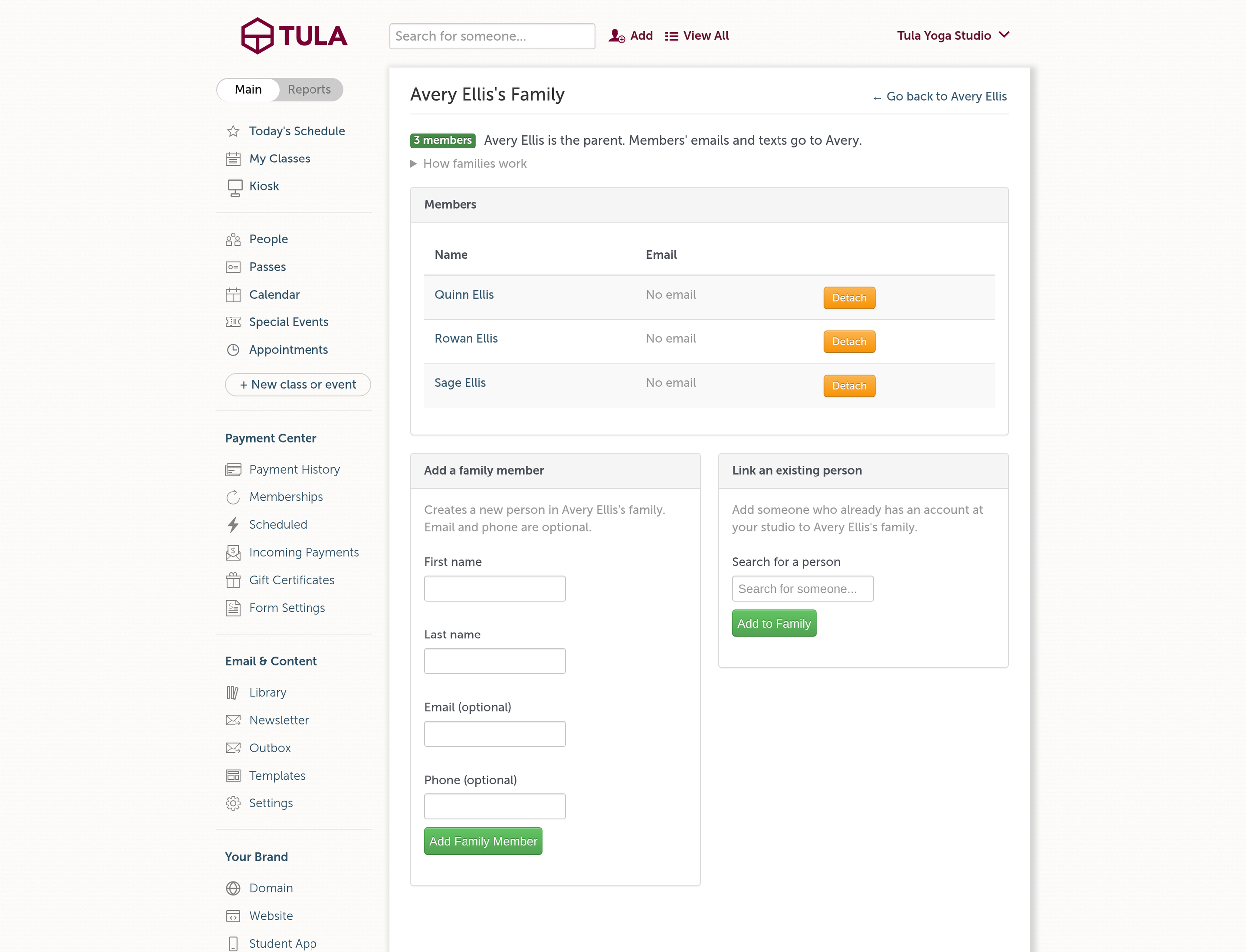
Once a student has purchased a family pass and added family members to their account, they’ll be able to register family members, and when the family members come into class, their attendance will be paid for by the family pass held by the primary account holder.
Lots of other little things that save you time:
Find people by email. Mobile check-in and the staff search boxes now find someone by the email address they gave you, not just their name.
The right pass, fast. Record a Purchase has a search box on the event and member pages, so you can find the pass in a couple of keystrokes.
Kiosk payments confirm faster. When a student pays at the kiosk with their phone, the kiosk checks more frequently for their payment and confirms it on screen.
Clean up old reservations. Clear past reserved registrations in one click; Tula works through them in the background.
Recording play counts. See how many times each class recording and On-Demand video has been played.
One link for every livestream. Set a default livestream link once, then preview and apply it to your upcoming classes together.
Change a series teacher yourself. Swap the instructor on a repeating series from the admin, without writing to us.
Appointment requests in Today. Pending appointment requests show up in your Today alerts.
Waivers. Download waivers in bulk in the background, and find a signed waiver even after the student is renamed or merged.
Filter by check-in flag. The people page can filter by check-in flag and include it in your CSV export.
We hope you love all these latest updates as much as we do!