
I'm excited — really excited — to announce a feature we've been heads-down building for a long time: Phone Numbers in Tula.
Studio owners can now provision a dedicated phone number for their studio. Right inside your Tula Software account. Self-serve. End to end.
I want to spend a minute on what that actually means, because I think it's easy to underestimate.
Getting a real phone number that can text U.S. consumers in 2026 is not a "click a button and you have one" situation. The carriers — for very good reasons — built an entire compliance regime around it. To send a single text message to a student, you legally need:
A registered brand with the carriers, vetted against your business identity
A registered campaign describing how and why you'll be texting
A published Terms of Service that students can read before opting in
A published Privacy Policy that explains how their number gets used
A compliant opt-in flow where students actively agree to be texted
A compliant opt-out flow that handles STOP and HELP correctly
An approved phone number provisioned to your registered brand
A messaging pipeline that respects all of the above on every send
So we made it simple. One signup. Every one of those steps, handled. No spreadsheets, no third-party accounts to juggle, no legal pages to draft on your own, no separate hosting to figure out. You give us the basics about your studio and we walk the rest of the road for you.
What we actually built
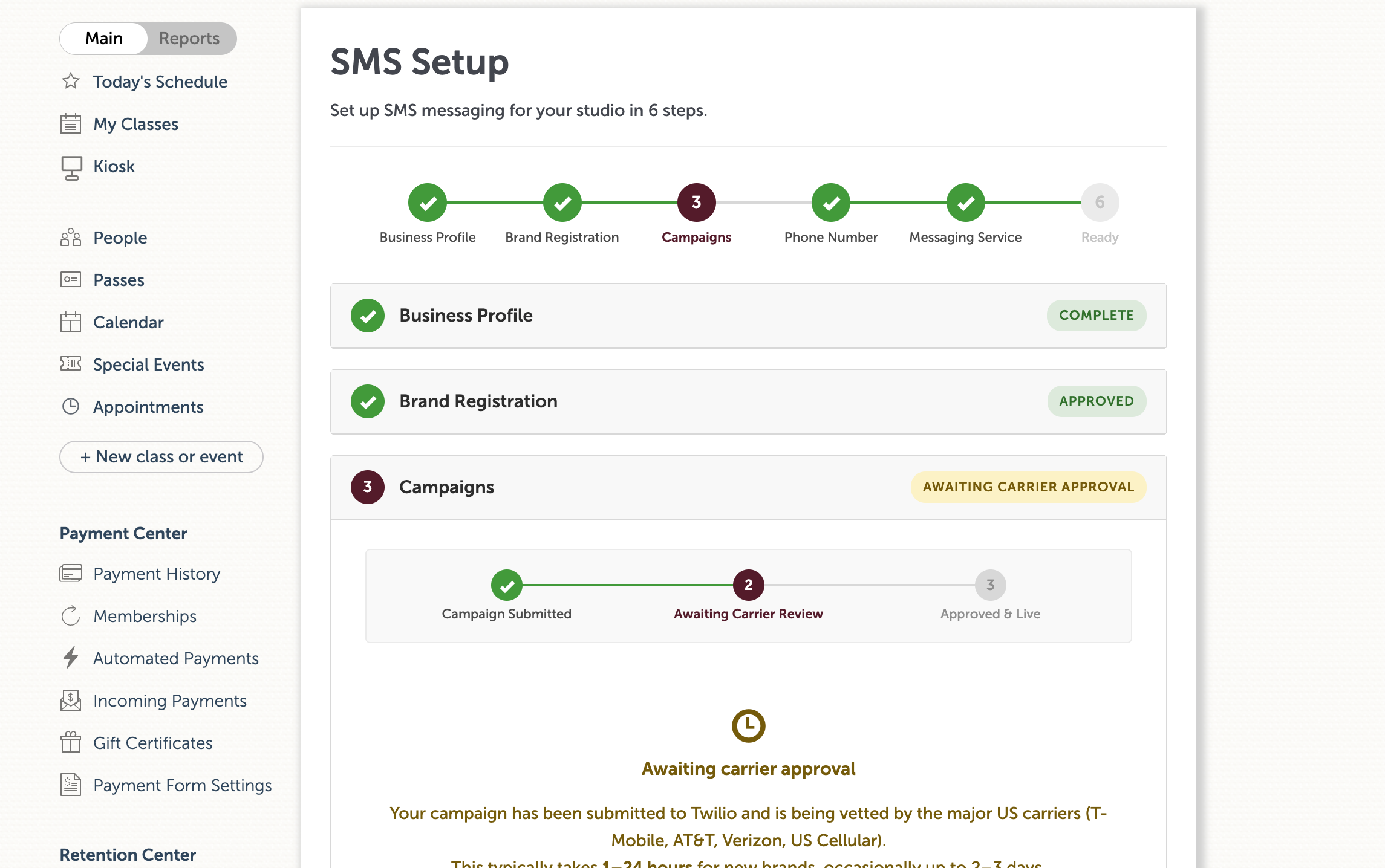
Inside Tula, you fill out a single guided signup. We take it from there:
Your brand gets registered with the carriers from the info you give us
Your campaign gets registered with the right use case for a studio
Terms of Service get hosted for you, branded to your studio, at a URL students can actually visit
Your Privacy Policy gets hosted alongside it
Your phone number gets provisioned and attached to your brand
Compliance handling is wired up, end to end, so STOP and HELP just work
Sending is connected to the rest of Tula, so your number is ready the moment it's approved
When your number gets approved, the very first thing you can do with it is send text messages to your students — from your studio's own dedicated number, with your studio's identity on it, fully compliant, no asterisks.
And then there's everything next
This release is also the foundation of an entire communications layer we can now build on top of Tula. The hard, ugly, unglamorous infrastructure work — brand, campaign, compliance, hosting, provisioning, pipeline — is done. Every phone-based capability we build from here gets to stand on top of it.
That's the part I'm most excited about. But that's a story for other release posts. Today, the news is: you can get a real phone number for your studio, inside Tula, and start texting your students from it.
How to get started
Owners — head to your studio settings menu and click Phone Numbers (it sits right under Custom Domains). Pay a one time setup fee of $199 and agree to the $19/mo maintenance fee. Walk through signup. We'll handle the rest.
Note: Carrier approvals usually take a few business days but can take up to 4 weeks so we recommend signing up as soon as possible.