
I’m excited to announce a new feature we've been working on: a Mobile Check-In App that lets you run your front desk from your phone.
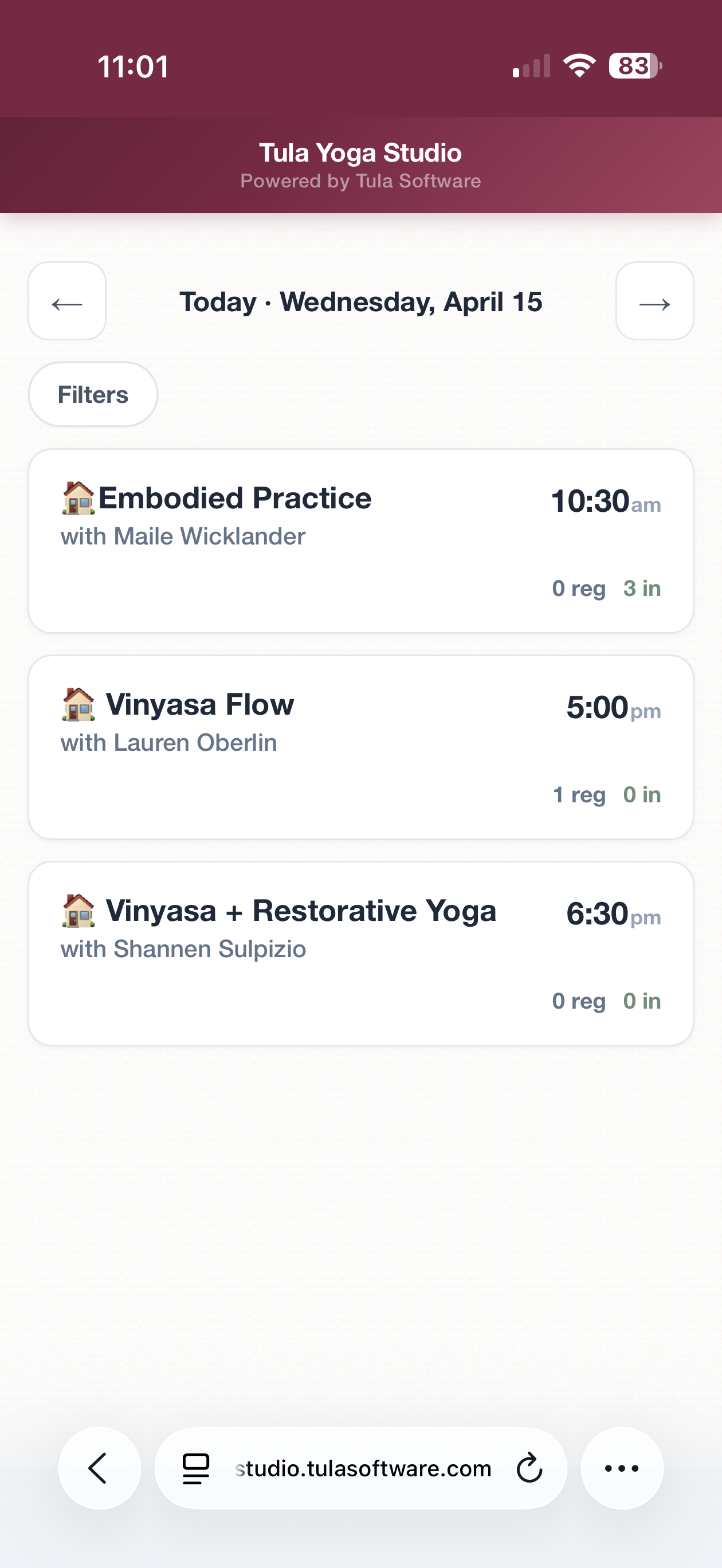
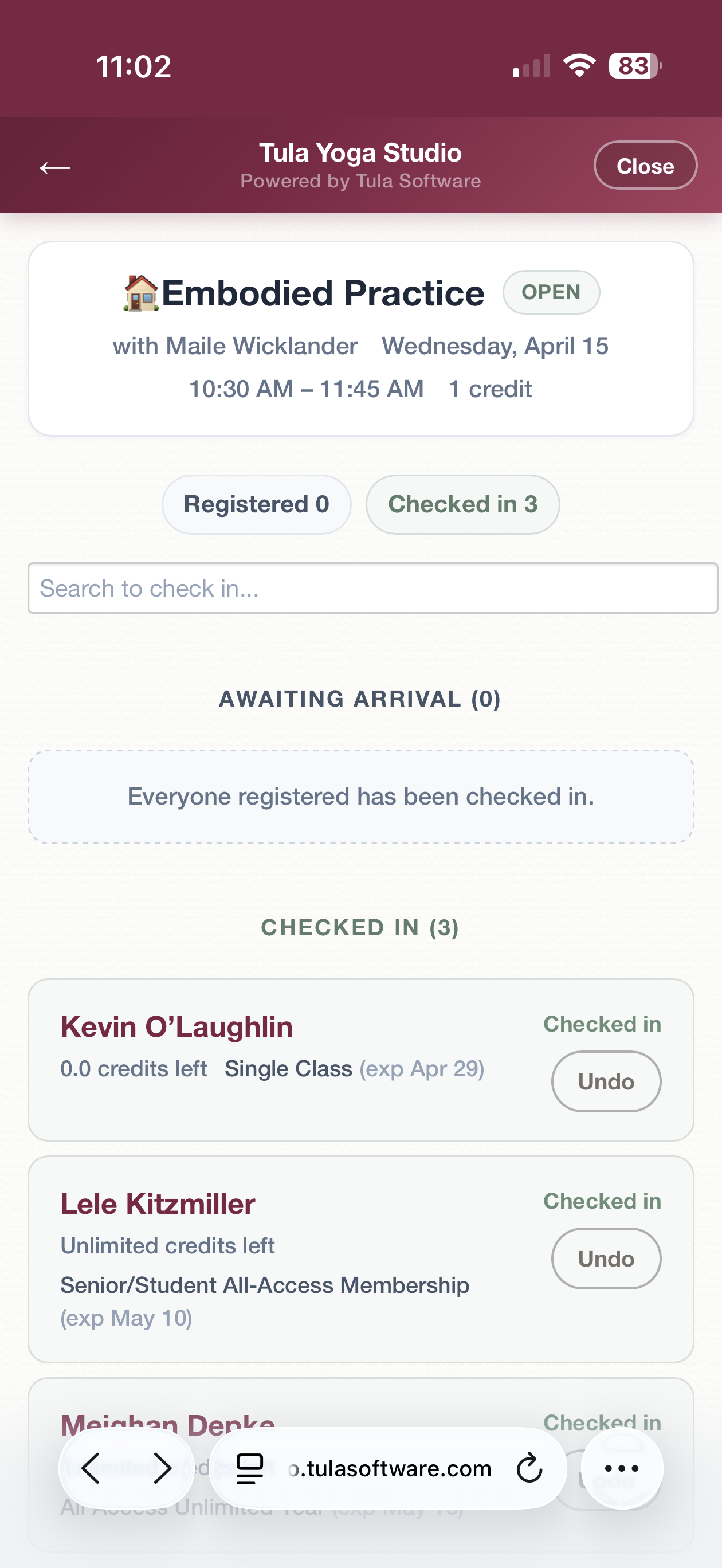
The Mobile Check-In App gives you everything you need to manage check-ins, view your schedule, and look up student accounts — all from your Android or iPhone.
How to Get It
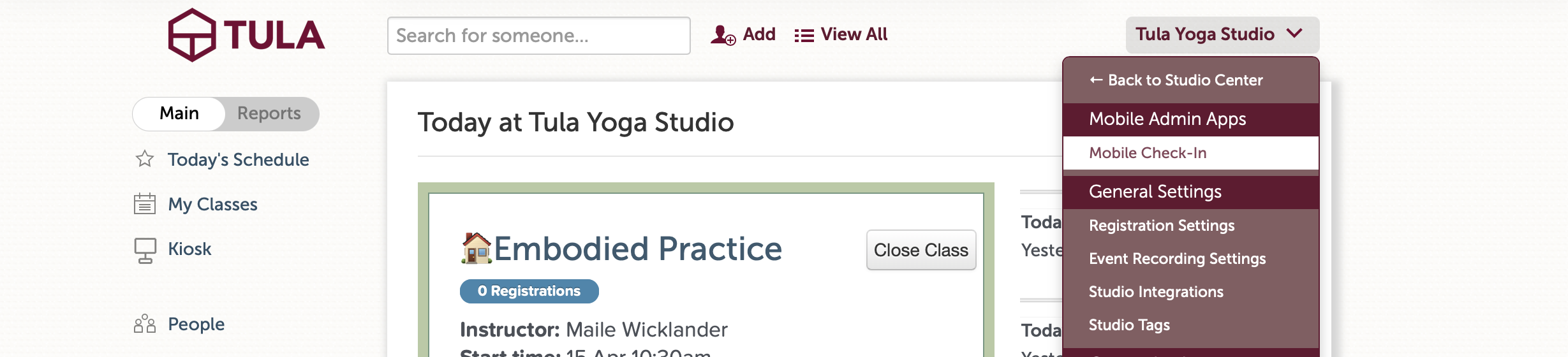
Go to the dropdown menu in the upper right of your Tula dashboard. You'll see a new Mobile Admin Apps section right at the top. Tap Mobile Check-In and it opens in a new tab. From there, add it to your home screen and you're all set.
No App Store download needed — it's a Progressive Web App (PWA), which means it installs directly from your browser, has its own icon on your home screen, and opens full-screen like a native app.
Your Schedule, At a Glance
When you open the app you'll see today's full class schedule. Each class shows the class name, time, instructor, and a live count of how many students are checked in vs. registered. You can flip forward and backward through dates, and there's a "Jump to Today" shortcut to get back quickly.
One-Tap Check-In
Tap into any class to see the full roster — registered students, who's checked in, and who hasn't arrived yet. Checking someone in is a single tap. Marking a no-show is just as easy. It's the same check-in flow you're used to on desktop, just optimized for a phone screen with big, easy-to-tap targets.
Student Profiles
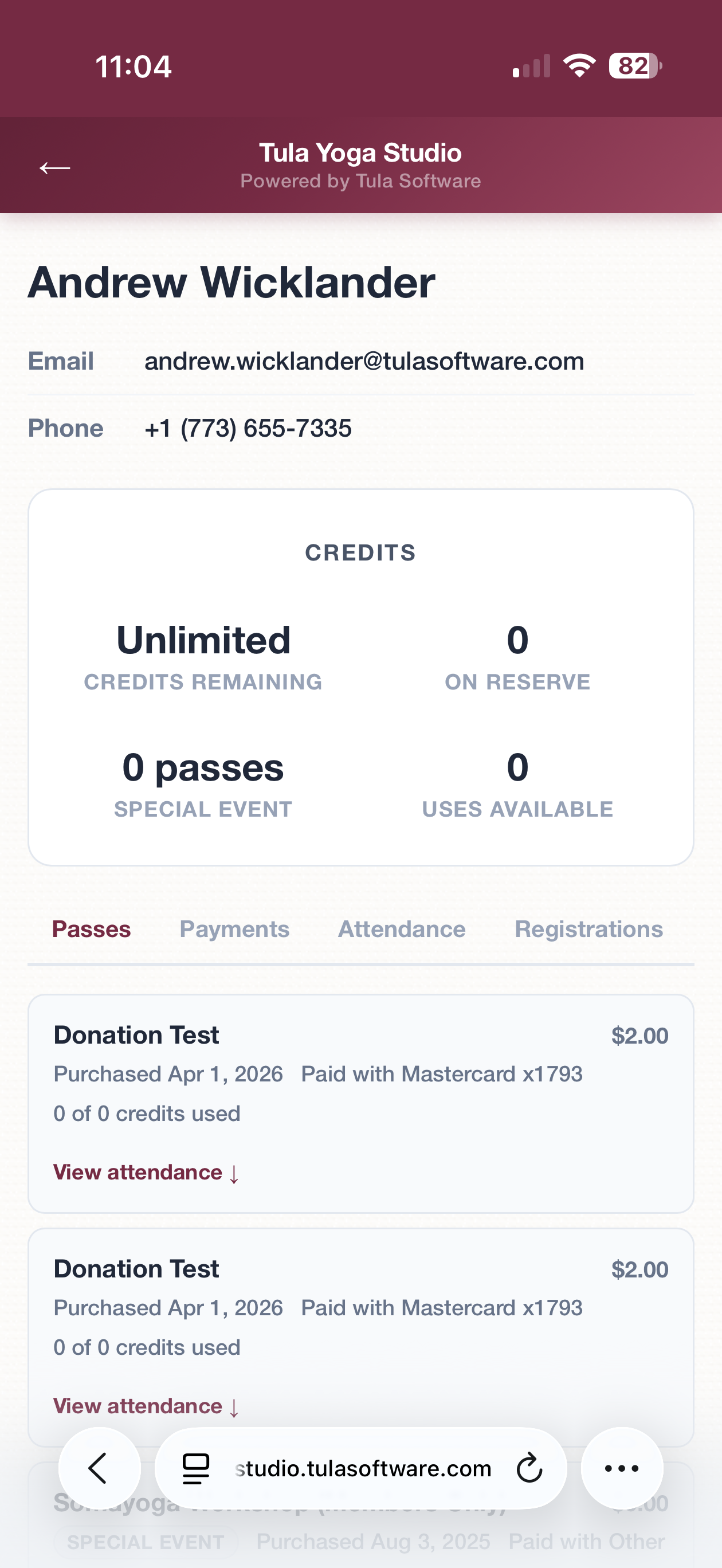
Tap any student's name to pull up their full profile: contact info, credits, active passes, payment history, attendance history, and upcoming registrations. Everything you'd see on the desktop, formatted for mobile. Great for quickly answering "do I have credits left?" or checking someone's pass status while they're standing in front of you.
Real-Time, Same Data
This is the same data as your desktop check-in page — it's not a separate system. Check someone in on your phone and it shows up on desktop immediately. There's nothing extra to set up, no syncing, no second login. It uses the same Tula account you already have.
Who Can Access It
Only Owners, Admins, and Desk Staff can use the mobile check-in app, same permissions as the desktop check-in page. (Coming soon: Enhanced permissions for instructors on their own classes)
More Apps Coming Soon!
We’ll continue to lean in heavily on Apps that can be installed directly from the browser - just like your student apps. We believe for our use cases Progressive Web Apps are not just sufficient but offer an opportunity to provide a superior overall experience for mobile users. We hope you love it as much as we do!