
I’m excited to announce some big new features to our appointments system!
A few weeks ago we launched Phone Numbers, giving studios their own dedicated business phone number for sending text messages. At the time I mentioned that the phone number was really infrastructure—that we were building it as a foundation for future phone-based features.
This release is a great example of this.
Before we get to the phone though, we spent a lot of time improving Appointments itself.
A smoother booking experience
The first iteration of our appointments system was great, but it only presented one time slot at a time as the conversation progressed. Now, we render all the availability options together, making a much faster and smoother booking experience for both you and your customers.
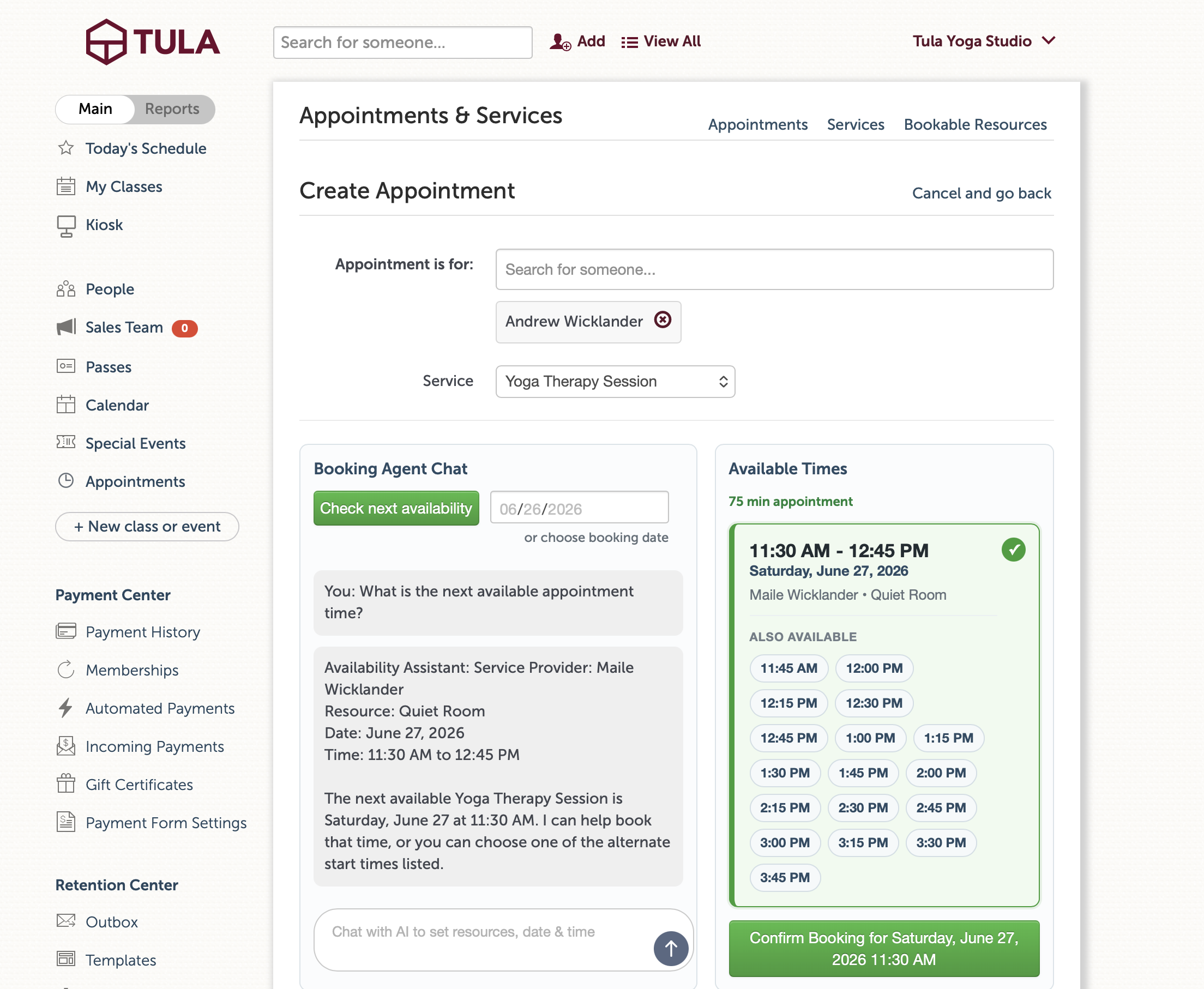
You’ll see a few nice improvements in the booking flow:
Multiple verified appointment times presented together.
A cleaner, mobile-friendly layout that's easier to scan.
Downloadable calendar invitations for admins
Better appointment notification text messages.
Lots of smaller improvements across both the student and admin experience.
Together these changes make booking feel significantly better.
The same booking experience—now over the phone!
Once we had the booking experience where we wanted it, the next step became obvious.
If our booking agent is an AI powered booking agent, and someone can book an appointment by chatting on your website...Why shouldn't they be able to call your studio and do the same thing?
If you've set up a Tula Phone Number—the same one you've been using to send text messages to your clients—you can now enable Voice Booking.
When someone calls your studio, the phone can answer and help them request an appointment using the same booking intelligence that powers the web experience.
Returning clients are recognized automatically by their phone number and new clients can create an account during the call by verifying their email address.
Still a request
Just like before, every appointment requested from the website or over the phone lands in your Requests tab for approval.
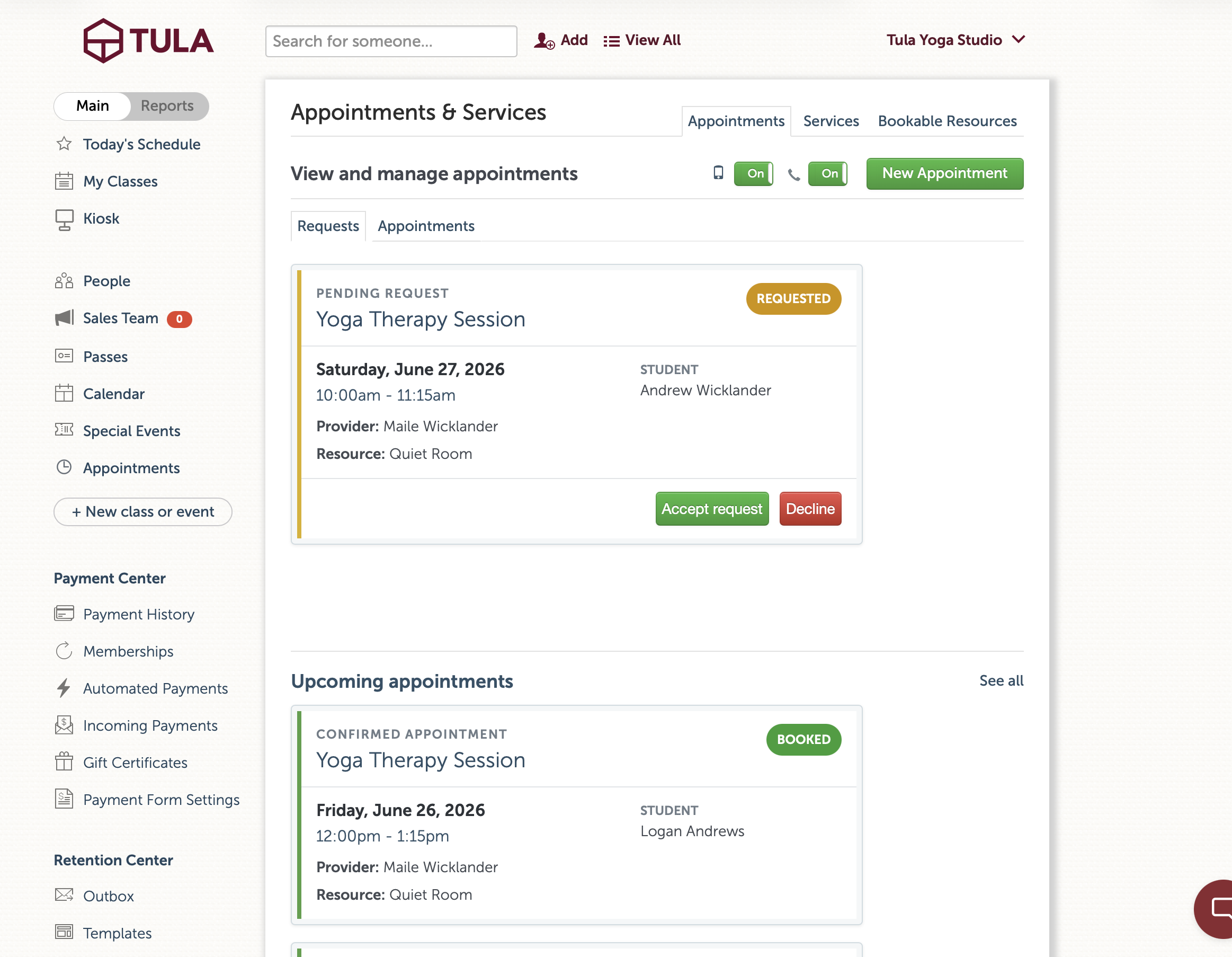
Clients get a much easier booking experience, while studios stay in complete control of their schedules.
Getting started
The updated booking experience is already live for all studios using Appointments.
If you've already configured a Tula Phone Number, you can also enable Voice Booking and start accepting appointment requests over the phone.
If you haven't set up a phone number yet, head to Studio Settings → Phone Numbers. Besides letting you send text messages to your clients, it's now also the foundation for voice booking—and there are more phone-based capabilities on the way.
As always, let us know what you think.