The kiosk started as a screen where registered students tap their name to check in. It can now run the whole front-desk loop on its own: students can look themselves up, check themselves in, pay for class from their own phone, and new students register and pay without anyone touching the desk.
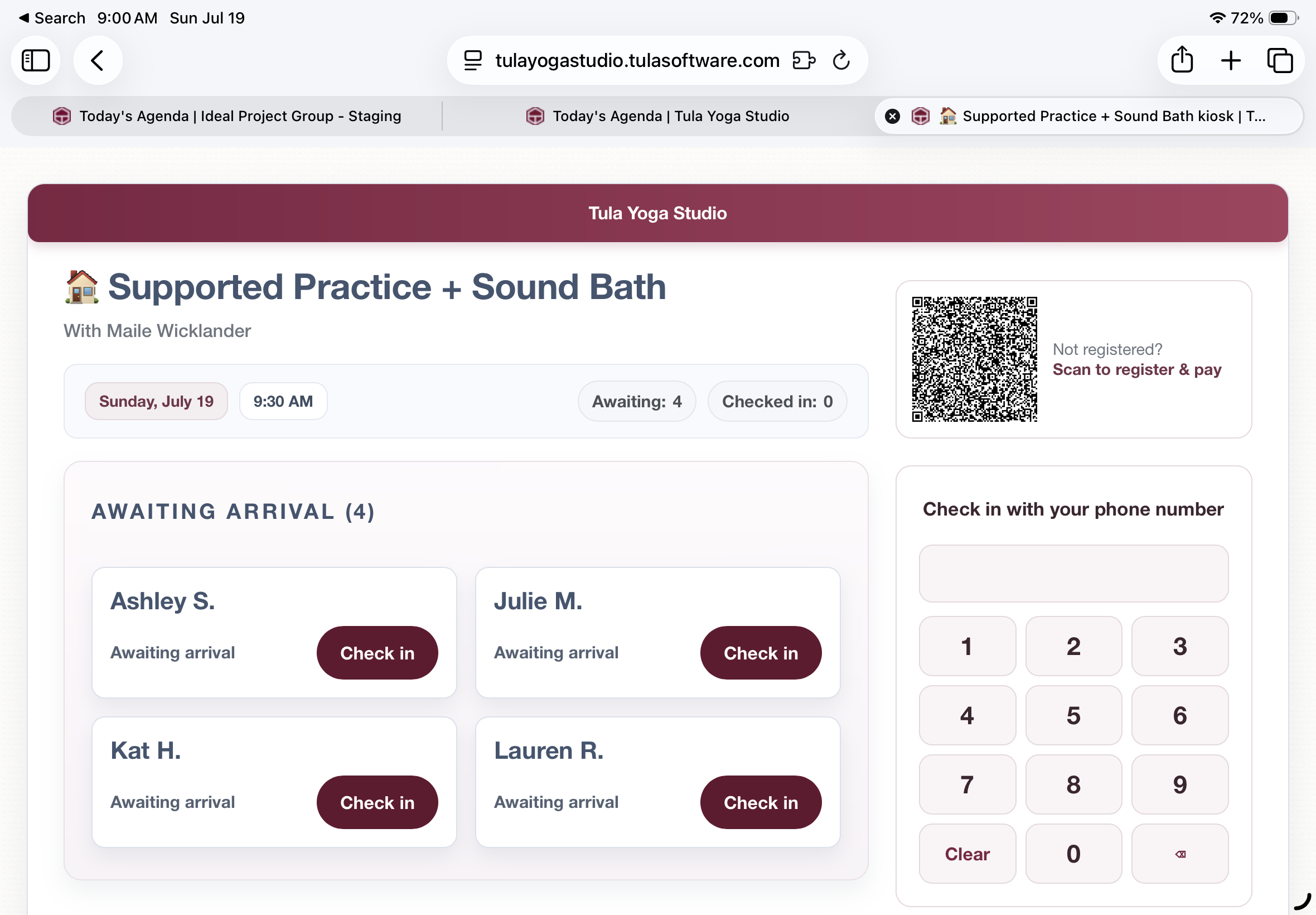
Here's exactly what it does.
Check in with your phone number
The kiosk now has a dial pad. A student types their phone number — no login, no search box, no staff. When the number matches an account, the kiosk shows a confirmation: "I'm Sarah L. — check me in." One tap and they're checked in.
The screen only ever shows a first name and last initial. No contact information, no account details — it's a lobby screen, and it behaves like one.
If the class isn't paid for
This is the part we think you'll love. When someone checks in without a credit on their account, the kiosk shows them a personal payment code. They scan it with their phone camera and land on your payment form, already filtered to the passes that can pay for that class — and greeted by name, with nothing to do but make a payment.
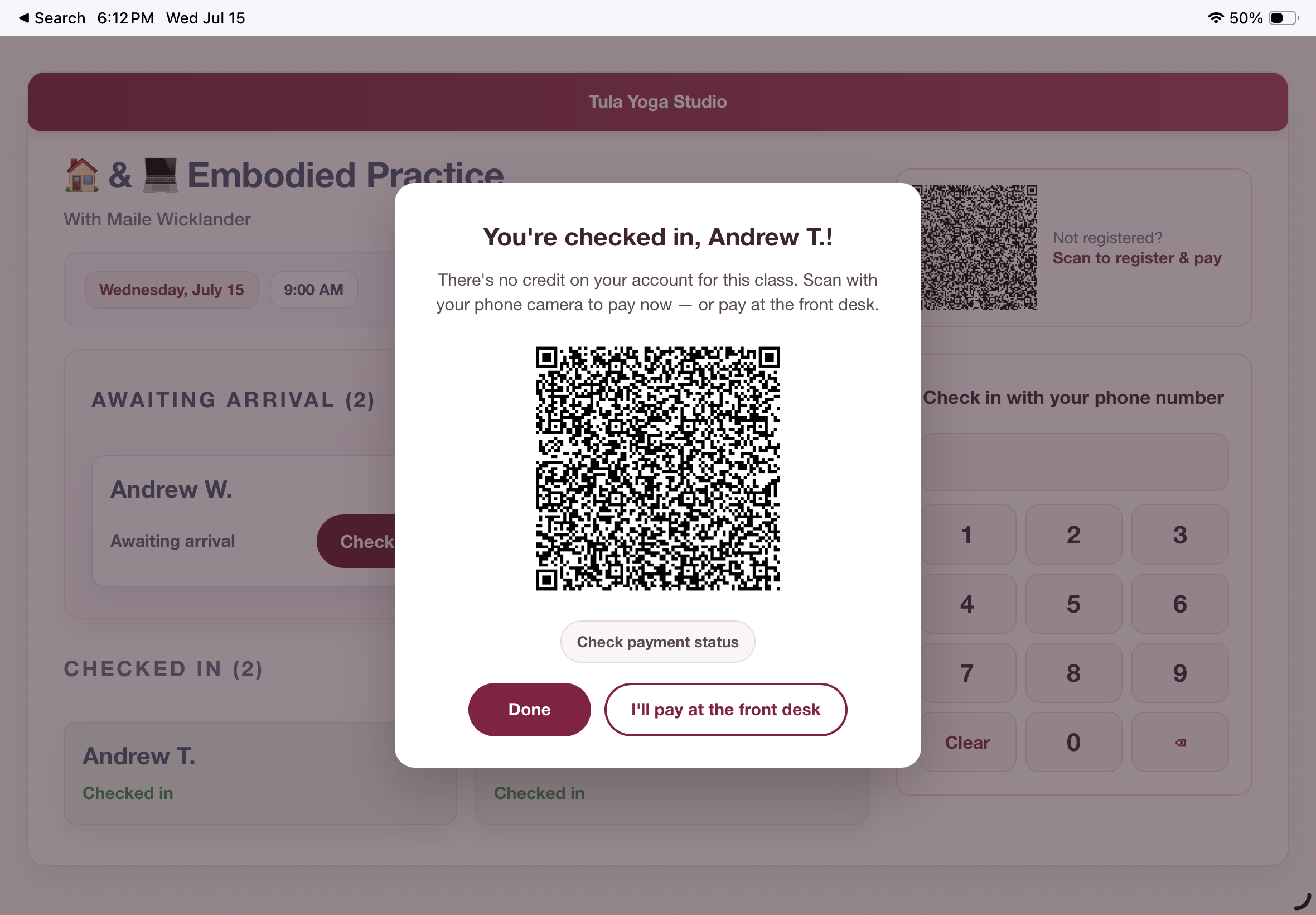
They don't need to be logged in on their phone. The code is tied to their account: the purchase charges immediately, the pass lands on their account, and the class is paid for — no matching step in your payment center, ever.
And while they're paying, the kiosk is watching. The moment the payment lands, the screen flips to "Payment received, Sarah L.!" and returns to the ready state. The student sees their own payment confirmed on the studio's screen before they've put their phone away.
Each payment code is single-use and expires on its own. If someone would rather pay at the desk, there's a button for that too.
New students, start to finish
The register & pay code on the kiosk handles people you've never met. A walk-in scans it, fills out your normal payment form, and pays. Tula matches the purchase by email to an existing account — or creates the account if there isn't one — registers them for the class, and charges the card, all in one step.
The kiosk refreshes its own roster every few seconds. The new student watches their own name appear under "Awaiting arrival," taps it, and they're checked in. Scan, pay, see your name on the board. No staff involved at any point.
Auto matching-clarity
Every payment the kiosk handles on its own is labeled in your Incoming Payments in the Payment Center as "Auto-matched". A badge shows exactly which purchases were matched automatically and which flow they came from. Manual matches look the way they always have. Phone numbers collected at purchase land on the student's profile.

What the kiosk deliberately doesn't do
The kiosk never creates accounts from the dial pad. If a phone number isn't recognized, it says so and points the person to the front desk — because someone the studio has never seen should meet a human, not a form. That's a design decision, not a limitation.
Availability
The kiosk works on any tablet or computer with a browser — nothing to install. Turn on kiosk mode for a class the way you already do, and everything above is there. And, this feature is available on all plans for all customers. We hope you love it as much as we do!