
I'm excited to announce a feature we've been working on for a while — the brand-new AI App Designer. It's the biggest upgrade to the mobile setup we've ever shipped, and it completely changes how you customize your studio's app.
The old way worked, but it asked a lot of you. Pick this color, upload that background, tweak an opacity slider, preview, repeat. If you weren't a designer, getting to something that genuinely felt like your studio was a slog.
The new way is a chat. You describe the feeling you're going for — "warm, calming yoga retreat with linen tones and lots of whitespace," or "bold high-energy HIIT studio, dark with neon accents," or "boutique pilates with an editorial fashion vibe" — and a minute later your phone preview reloads with a fully custom-designed app. Landing screen, internal pages, colors, typography, the whole thing. Don't love something? Tell it what to change ("rounder buttons," "more breathing room at the top," "softer green") and it iterates with you. Every version you generate is saved in the sidebar — jump back to a previous design anytime, then hit Publish when it's right.
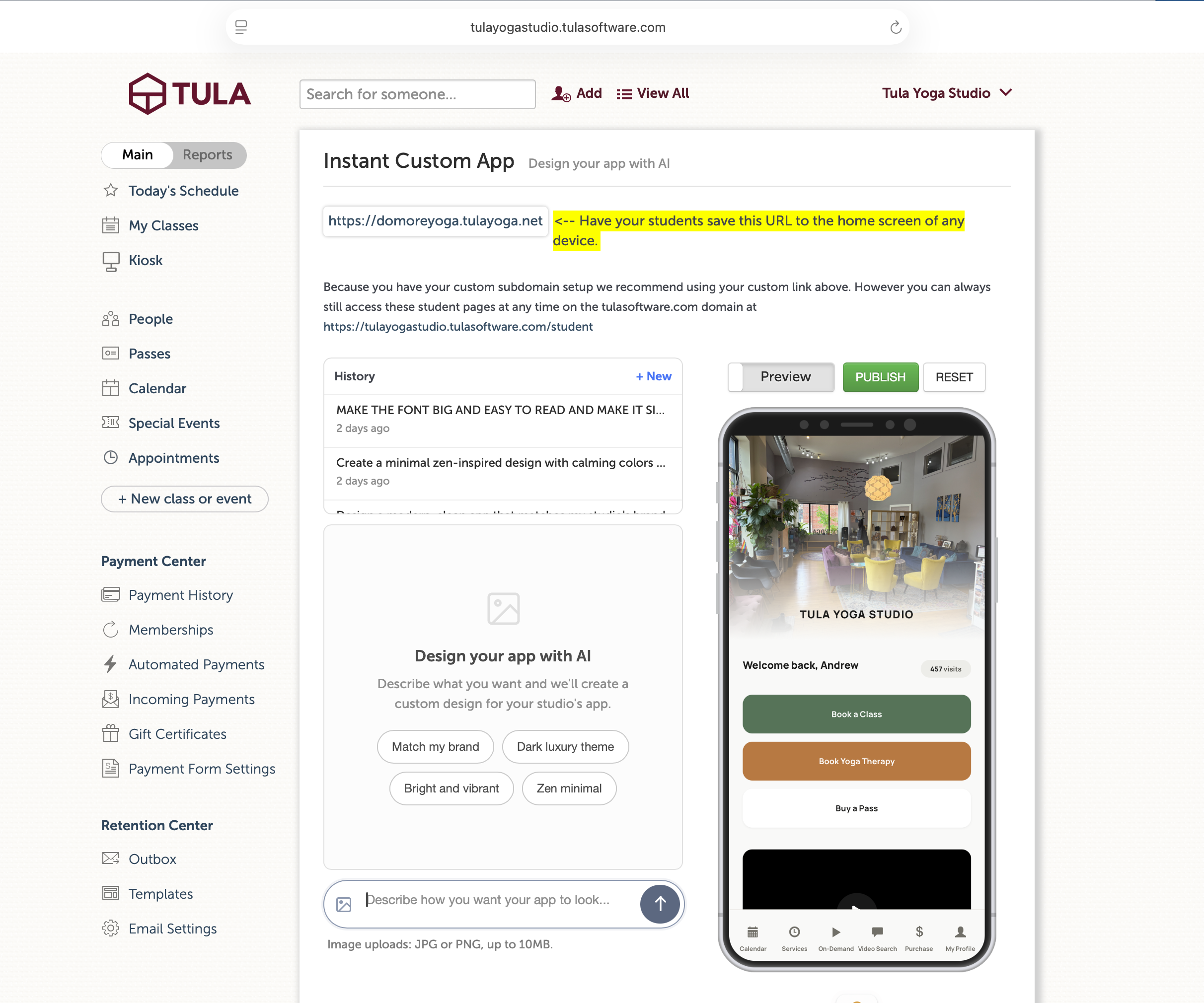
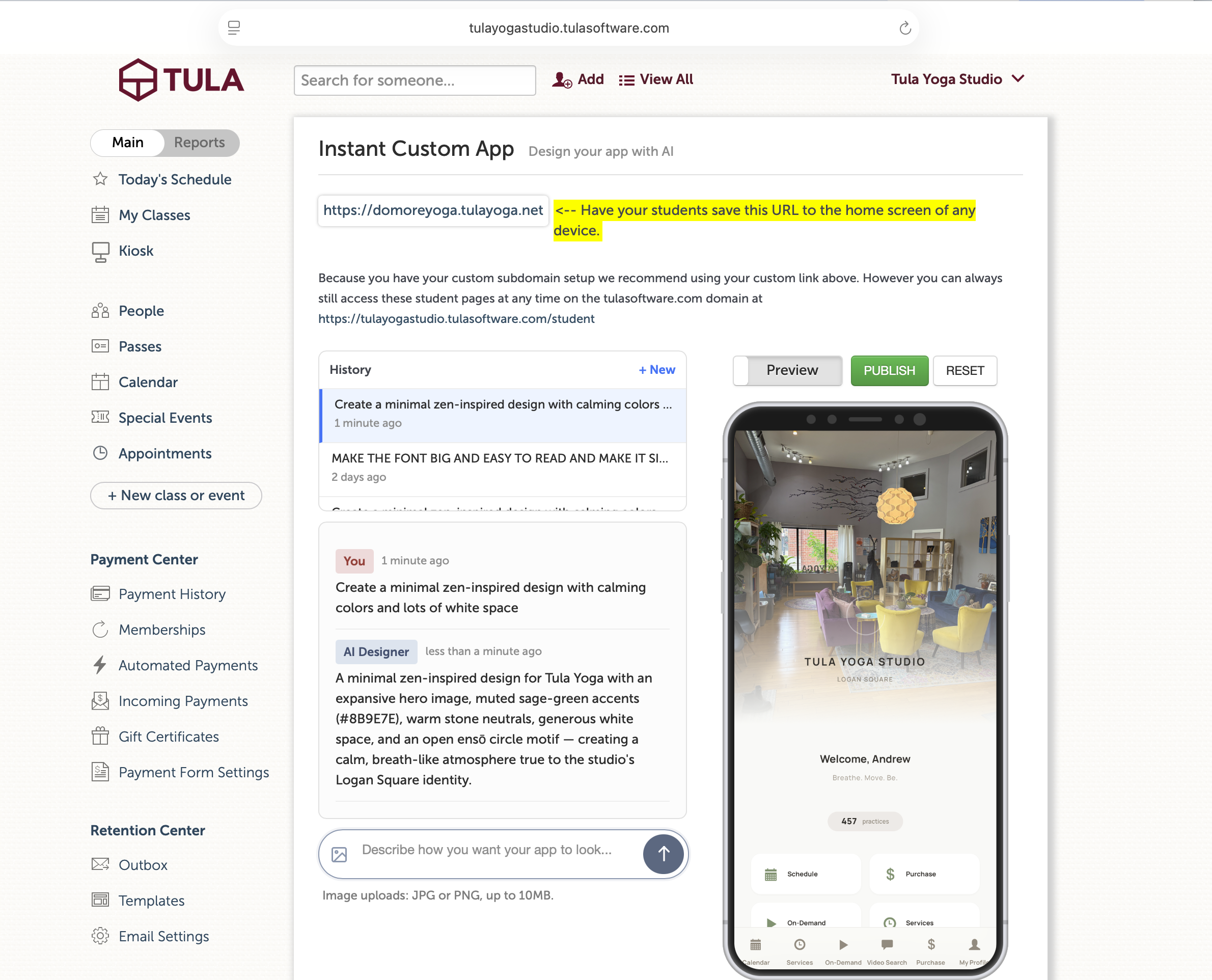
Three things I want to specifically call out, because they make this much more than a "pretty picture" generator:
📅 Today's classes, live on the home screen — your landing page can show today's schedule with class names, times, and instructors, pulled fresh from your calendar on every page load. Great for the student who opens the app five minutes before walking in and wants to know "wait, is the 5:30 still on?" No more stale screenshots — what they see is what's actually happening today.
▶️ Featured recording spotlight — pick one class recording that’s public, and choose to make it a featured vido, and the AI Designer drops a polished video card directly onto your home screen. Title, instructor, date, built-in player. Perfect for a "watch this first" moment when someone opens your app for the first time.
👋 Personalized greetings — the AI can welcome each student by name and show their attendance count, so opening the app feels like walking into a studio where someone knows them.
These aren't baked-in screenshots — they're live on every render, for every student.
Your existing mobile setup is still there. Nothing has been taken away — the manual color and background controls work exactly like they did before, and you can mix and match. The AI Designer is a faster path layered on top of everything you already have.
We're rolling this out to all customers on all plans and we hope you have as much fun playing with it as we did building it. Try a few different prompts. Have fun with it. Then show us what you came up with, we'd genuinely love to see what you make!