We’re excited to announce another big set of updates: the Library, a brand new Newsletter and email editor, and Individual Event Pages.
Every studio produces content all the time. There's the recording of Saturday's workshop, the photos from teacher training graduation, the voice memo your lead instructor made about breathwork, and the flyer for next month's retreat. Most of that ends up scattered across phones, Google Drives and old email threads, and when it's time to send a newsletter or promote an event, you spend an hour hunting for it.
So this summer we built three connected pieces to fix that. The Library holds everything in one place. The Newsletter sends it to your community. And Event Pages give every class, workshop and retreat a beautiful page you can share anywhere.
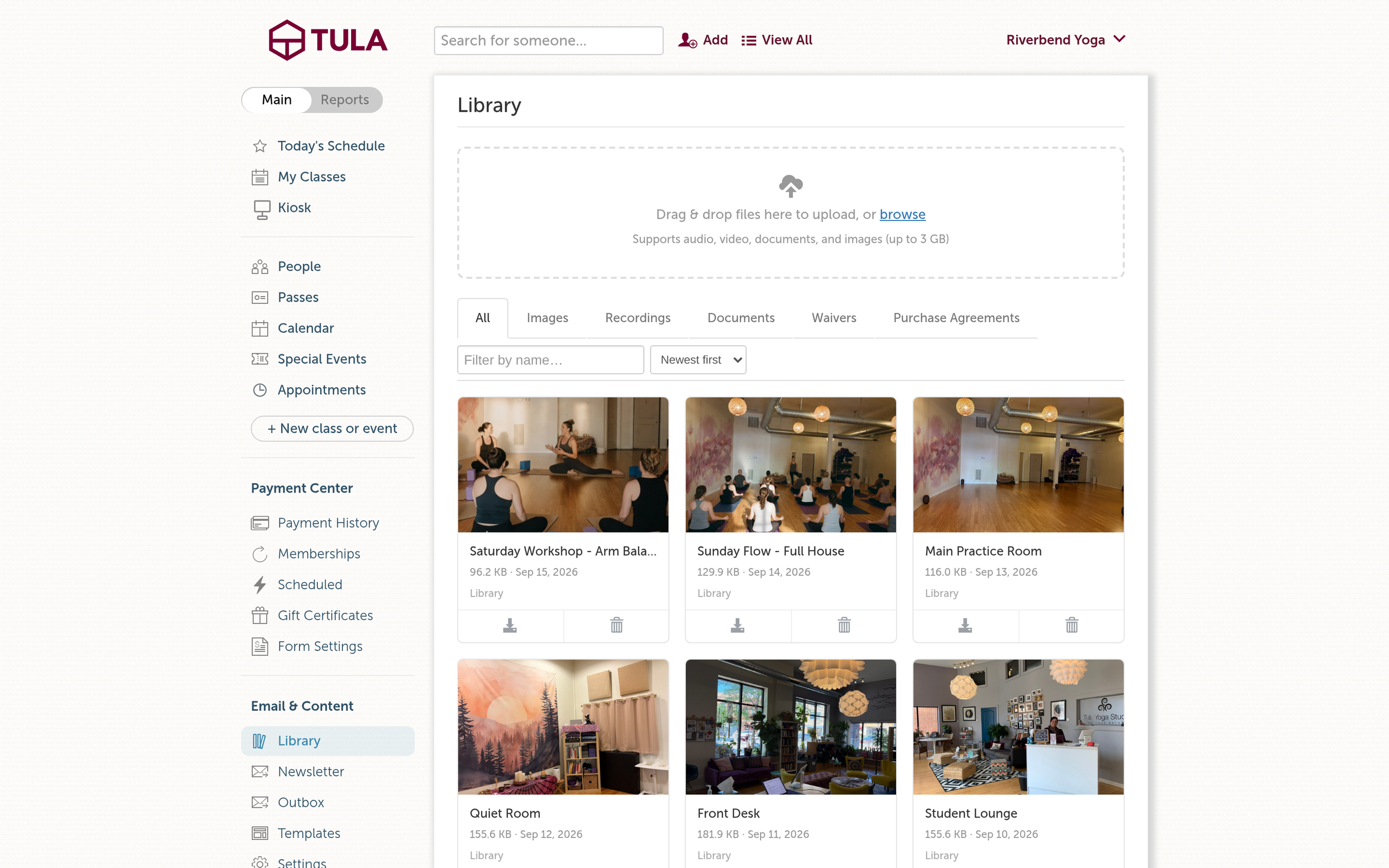
The Library, All tab.
The Library: one place for all of it
The Library now lives under Email & Content in your left nav, and it holds everything your studio uploads: images, audio, video, documents, and the waivers and purchase agreements your students have signed. Tabs across the top let you jump straight to Images, Recordings, Documents, Waivers or Purchase Agreements, and you can search and sort by newest, oldest or name.
A few things we're especially happy with:
Big files are fine. Upload audio, video, documents and images up to 3 GB each, including the .mov files that come straight off an iPhone.
Recordings play right on the page. Click any video or audio recording and it opens in a player without downloading first. The download button is still there if you want the file.
Your class recordings live here too. Event recordings sit beside your own uploads, so everything is in one place.
You choose who sees each recording
Every recording starts out private, and from there you decide where it goes. Private means only your team can see it. On-Demand means students can watch it in your On-Demand widget. Public means anyone can see it. You can also Feature a recording on your studio page, so your best content is the first thing people see.
Embed a single video on your website
Every video in the Library now has an Embed button. Click it and you'll get a live preview and a snippet you can copy into your website, the same way you already embed your calendar and payment forms. It works for your uploads and your class recordings, and if you have a custom subdomain, the embed uses it.
This is perfect for a welcome video on your homepage, a sample class on your teacher training page, or a teaser for an upcoming retreat.
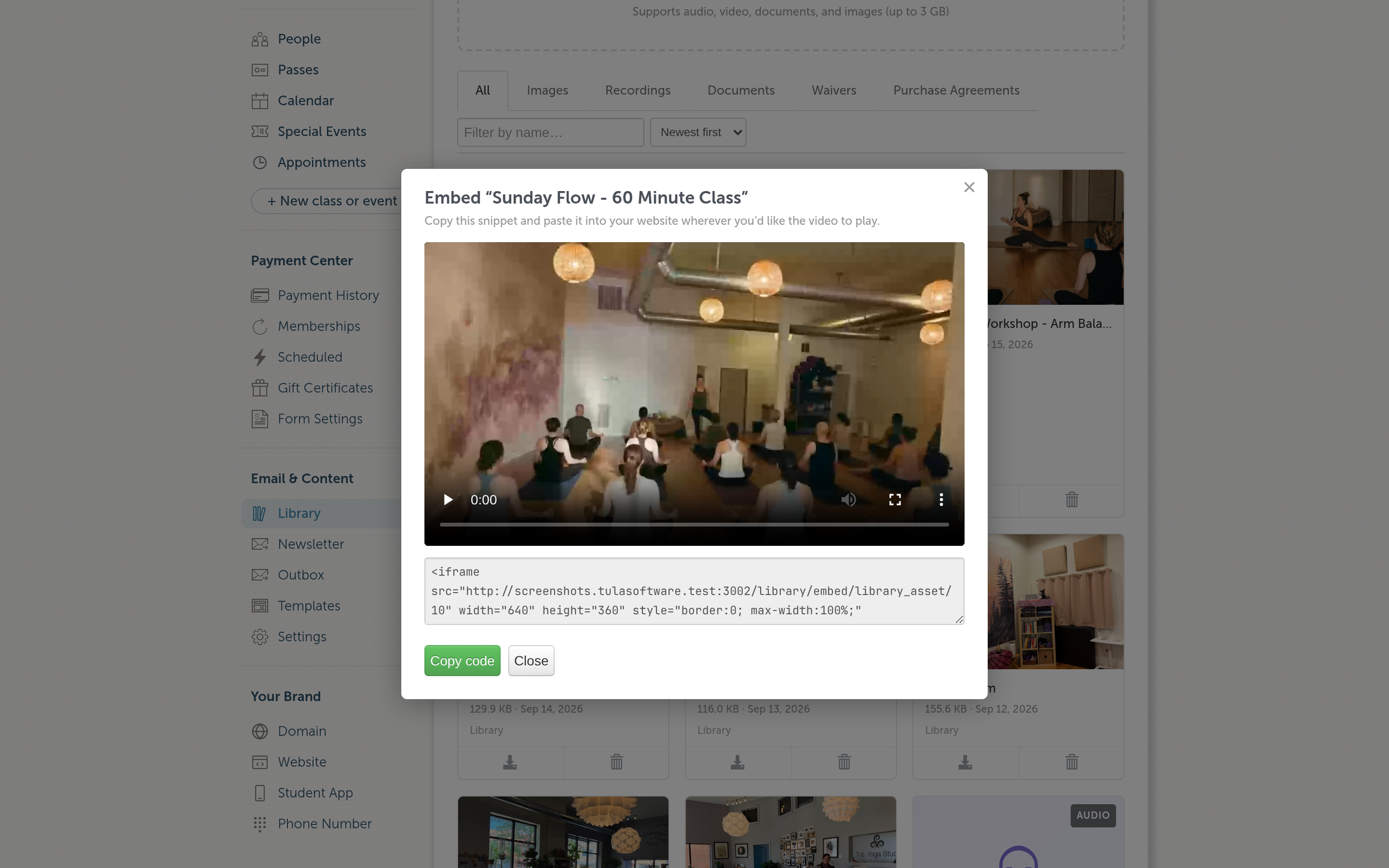
The Embed dialog, with a live preview and the snippet to copy.
The Newsletter: tell your community what's happening
Once your content is in the Library, the next step is getting it in front of people. There's now a Newsletter link under Email & Content. It opens a composer that's already addressed to every member who is subscribed and can receive email, so there's no list to build.
We also rebuilt the email editor from the ground up. It powers the newsletter, group emails, campaign templates and purchase follow-up emails, and it's a big upgrade:
Pull images straight from the Library. Type ! and pick an image. No downloading and re-uploading.
Drag, drop or paste images. Anything you add is saved to the Library under Email Content, so you can use it again next time.
Personalize with merge fields. Type * to add a student's first name or other details, or pick from the menu above the editor.
Organize your templates. Give templates any category you like (Welcome, Workshops, Monthly Newsletter), and the "Use a template" menu is grouped by category, so the right starting point is easy to find.
Send yourself a real test. The button shows exactly where your test is going ("Send a test to you@yourstudio.com"). Your test arrives with the merge fields filled in, so you see what your students will see. And the unsubscribe link in a test won't unsubscribe you.
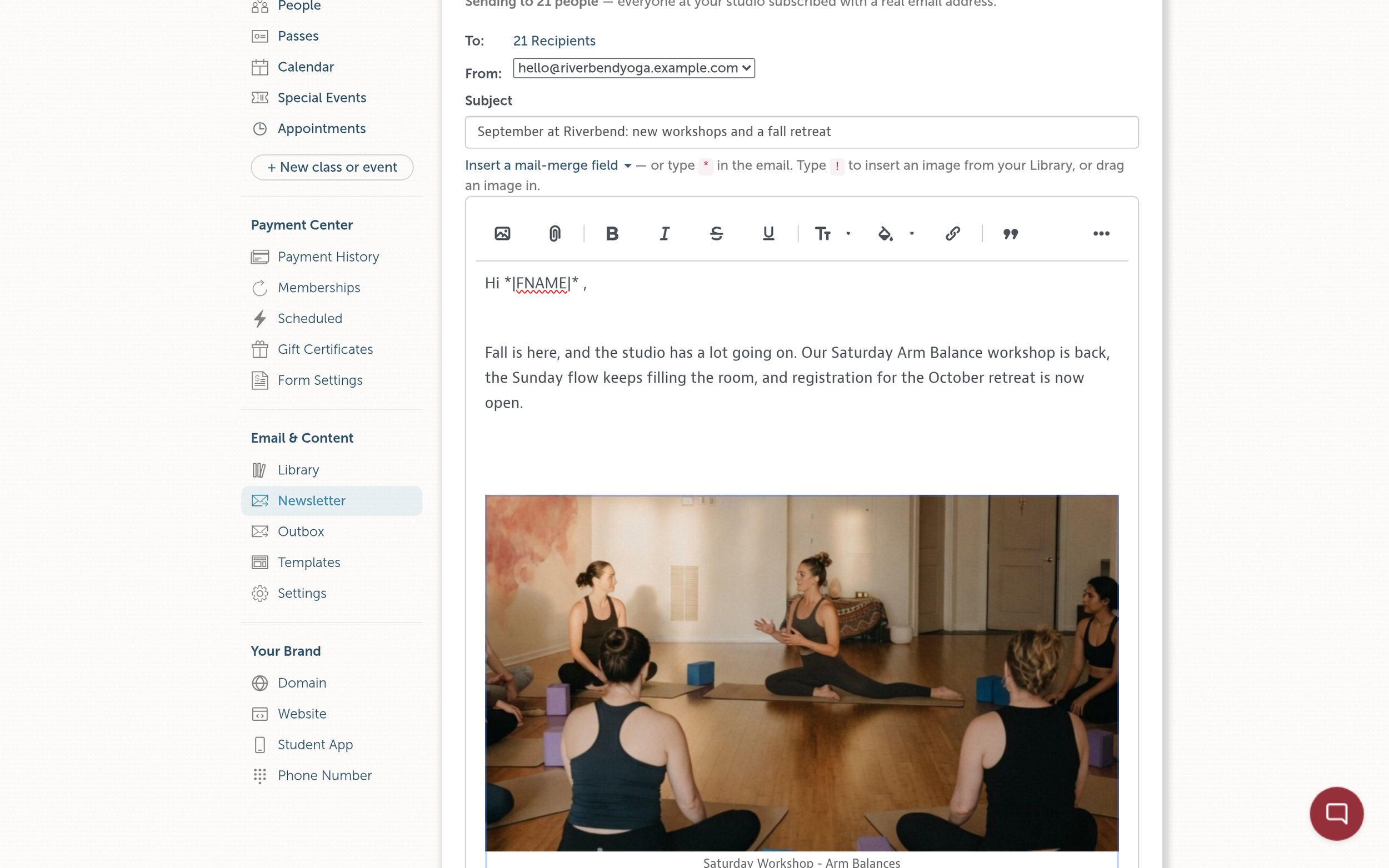
The newsletter composer, with an image from the Library and a first-name merge field.
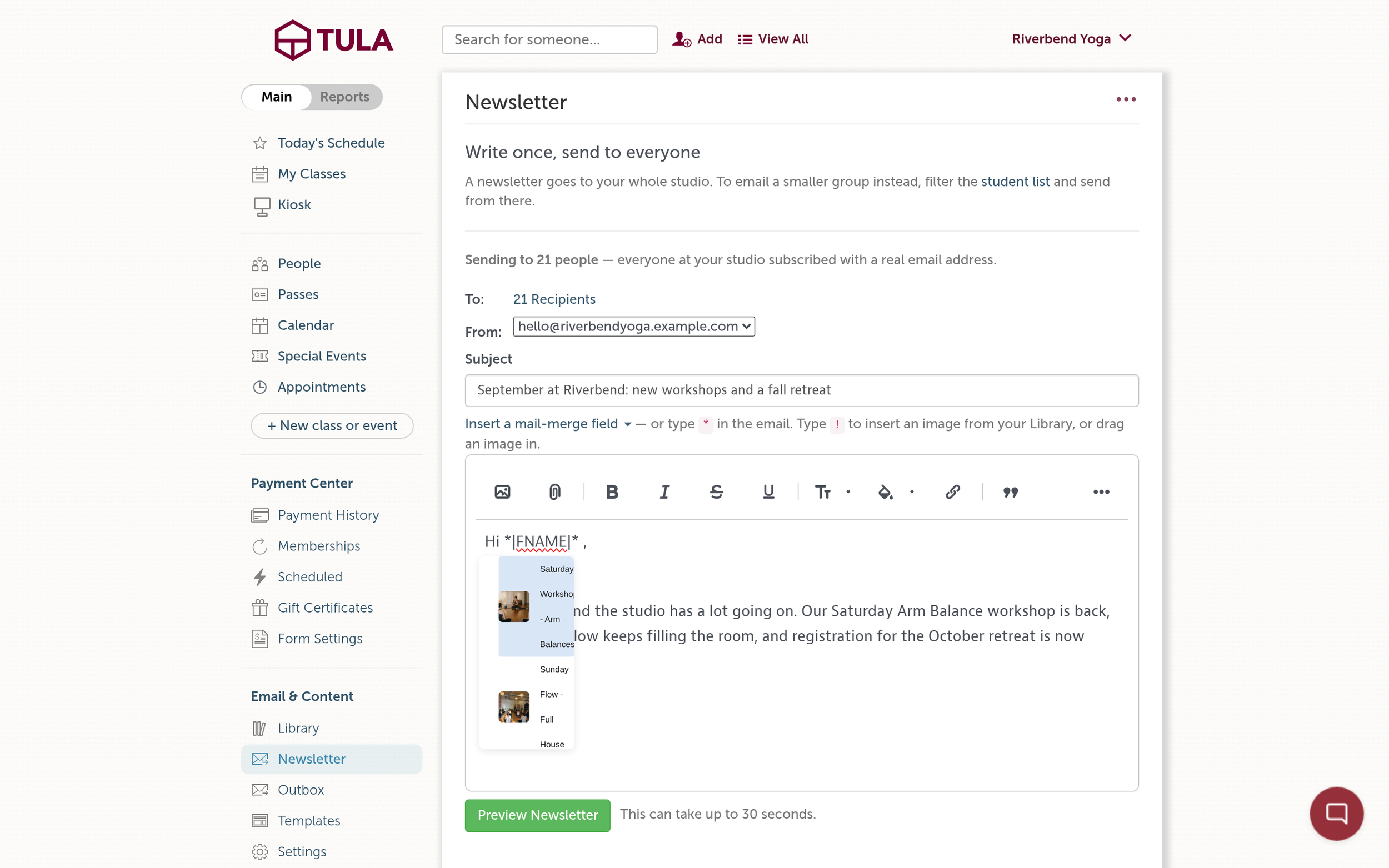
Type ! to pick an image straight from your Library.
Event Pages: every event gets its own home
Your calendar is great for browsing. But when you're promoting a special event, like a workshop, a retreat or a teacher training info session, you want to share one link that tells the whole story and lets people sign up right there.
Now every event has its own page, with a short link you can drop into a newsletter, an Instagram bio, a text message or a flyer. Open any event in Tula and click Public event page to see it.
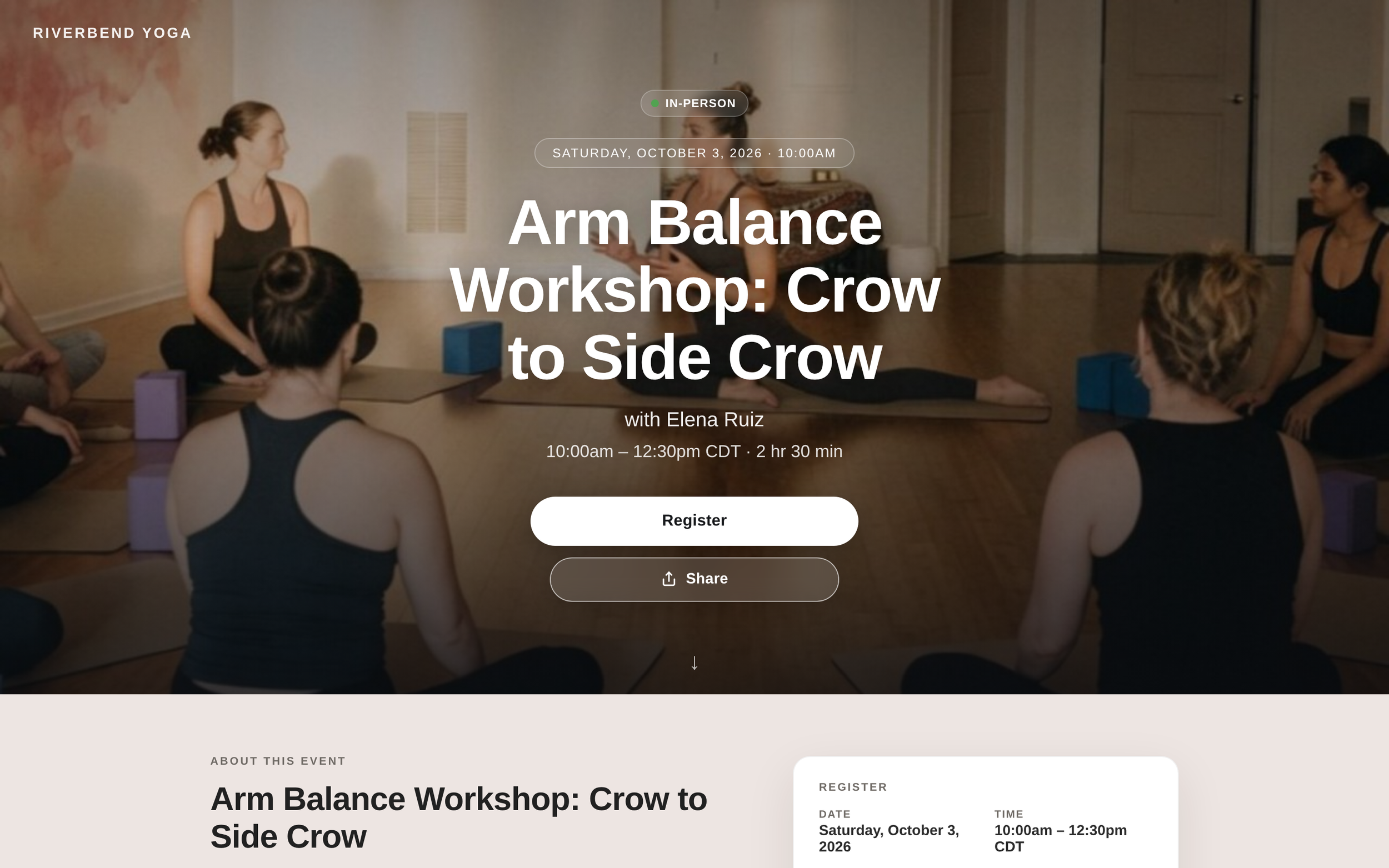
A public event page on desktop.
It looks like your studio
Your branding is front and center, with a large hero photo for the event. Each event now has a full description field that uses the same editor as your newsletters, with room for formatting and images, so you can tell people what to expect, who's teaching and what to bring. And all the details are right there at a glance: date, time and time zone, duration, cost, and how many spots are left.
Events can have their own address, too. There's now a place for your main studio address on the Basic Studio Settings page, and that's what an event page shows by default. If a workshop or retreat is happening somewhere else, enter that location on the event itself and the page uses it instead, directions included.
It does the work for your students
Register and pay right on the page, for in-person or virtual, with pricing shown up front.
Join the waitlist when the event is full. Students get an email if a spot opens, and they can switch between in-person and virtual when there's room.
Accept the waiver as part of signing up.
Add it to their calendar in one tap, with Google Calendar or Apple and Outlook.
Get directions to wherever the event is happening.
Share it with a friend, or copy the link.
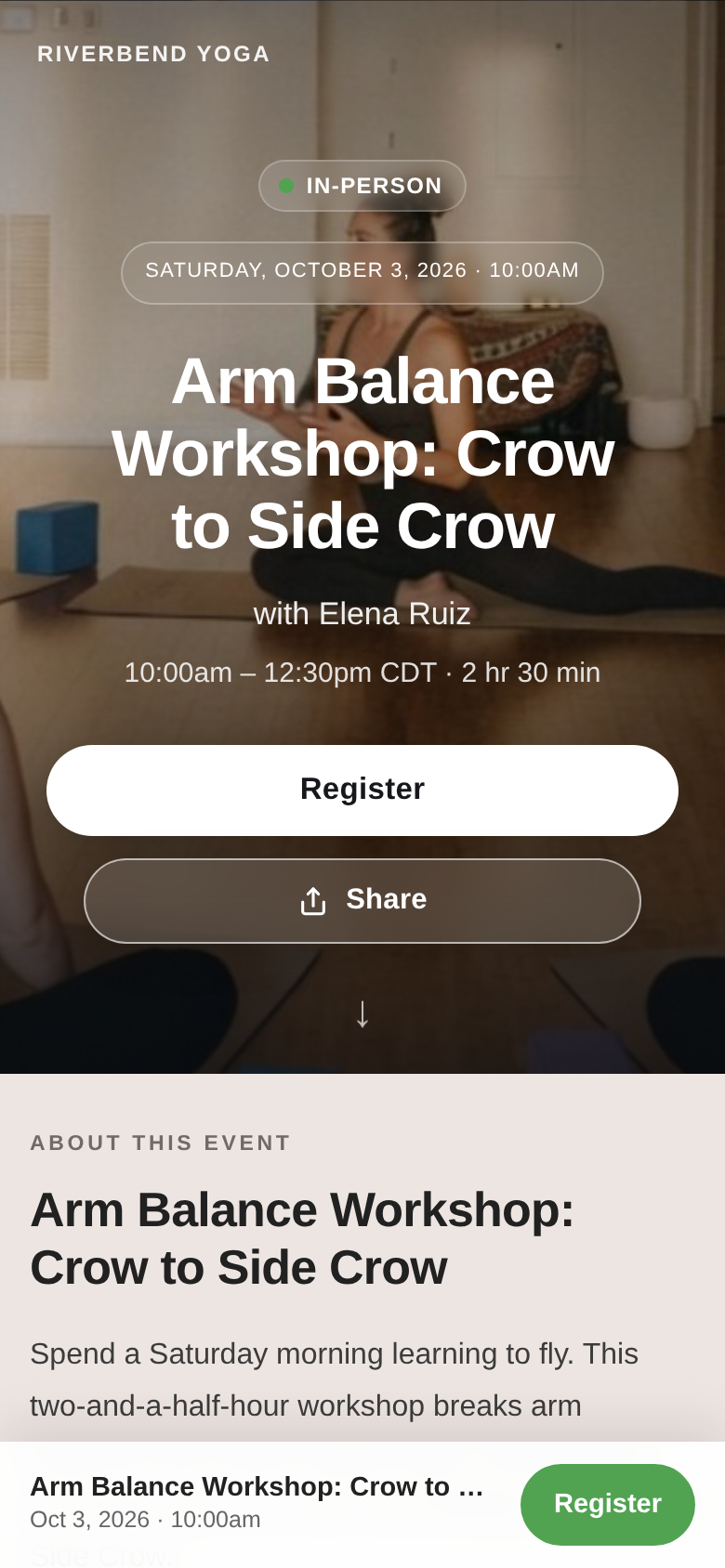
The same event page on a phone.
Students who are already registered see their registration on the page and can manage it there. For virtual events, registered students get a View Broadcast button right on the page, so they don't have to dig for the link.
The page also handles the in-between moments on its own. It tells people when registration isn't open yet and when it opens, when in-person is full but virtual is still available, and when the event has already happened, with a link back to your full calendar.
It's built for phones
Most people will open your event link from a phone, so we designed for that first: a compact hero, details that wrap cleanly, and larger buttons that are easy to tap.
We hope you love it
All of this is included on every plan, there's nothing extra to buy. We can't wait to see what you make with it, and if you have questions or ideas, reply to any of our emails or send a note to support.
To all our customers, as always, thank you. It is an honor to work hard for you every day.